

A selection of Obsidian plugins: metadata and link automation, knowledge graph simplification, single-tab mode, and scroll position memory.
This week I came across several great Obsidian plugins that significantly simplify working with a knowledge base, so I decided to gather them all into one article.
Conditional Properties
This plugin uses IF/THEN logic to simplify adding extra information to notes.
In the plugin settings, you create a rule that it will react to. This can be part of a note’s metadata (title, tag, creation date, etc.) or just its title. For example, you can define a rule: if a note’s tag exactly matches the word “review,” then perform an action.
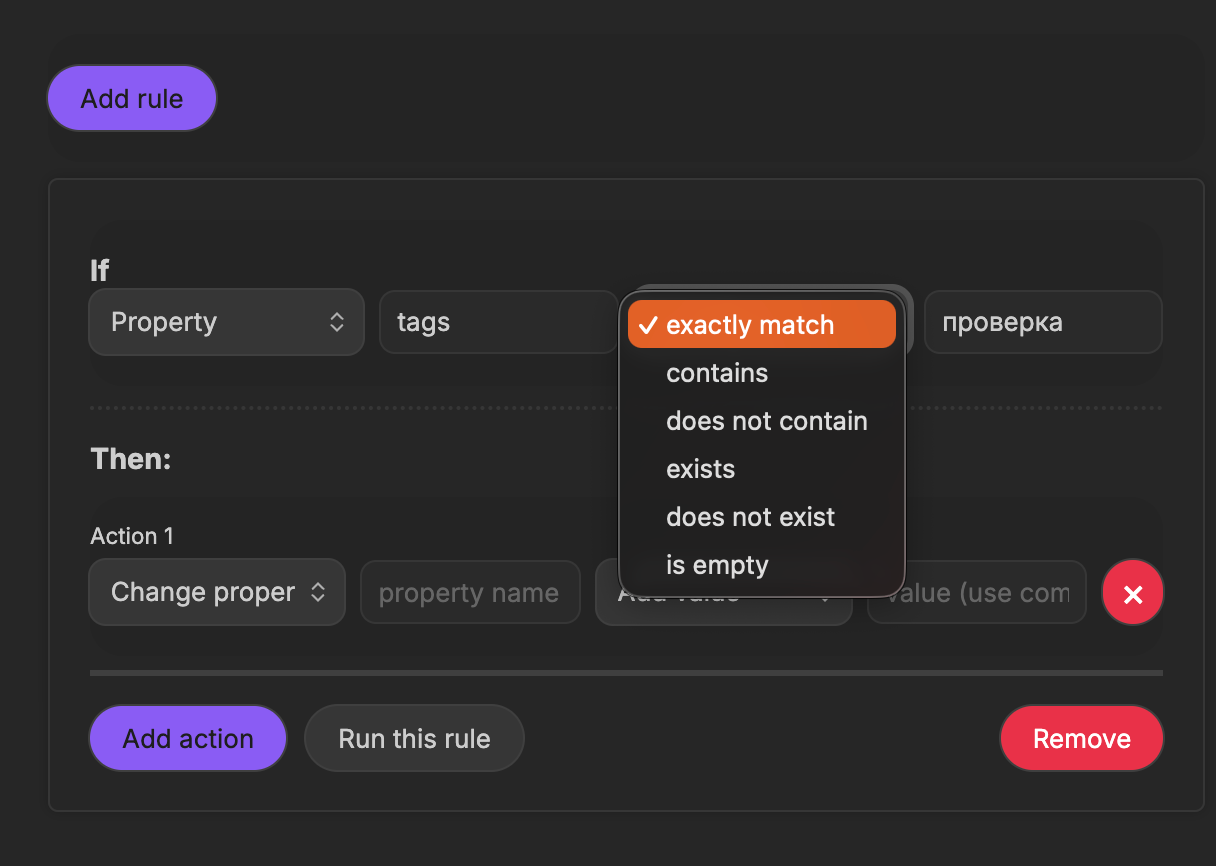
Actions are configured in a similar way. You can update any metadata property or the note title. You can set rules to add a property, overwrite all properties, delete one, or rename it.
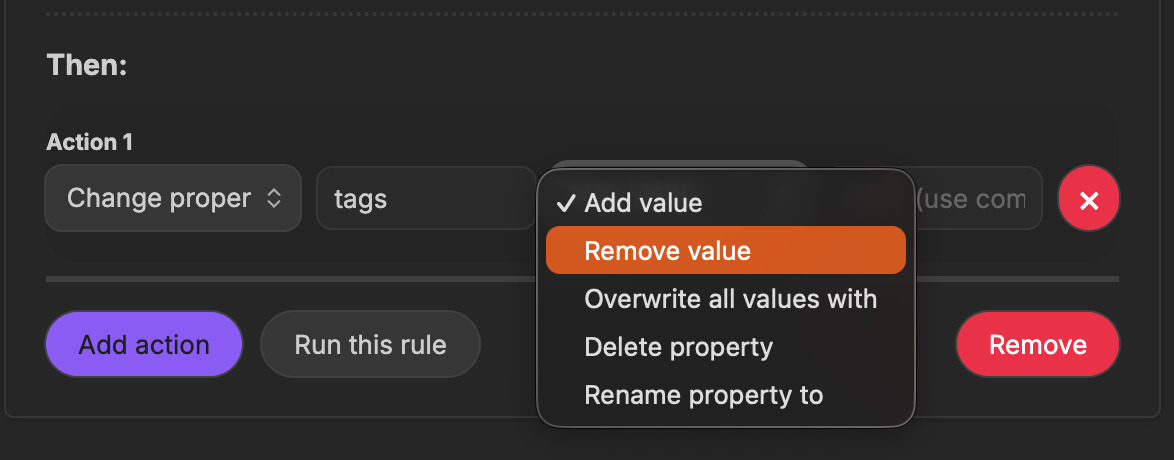
Once all rules are created, the plugin periodically scans the entire vault and applies the corresponding actions to matching notes.
Auto Keyword Linker
This plugin helps simplify building a knowledge graph by automatically linking notes to each other.
In the settings, you specify a keyword used to connect notes. The plugin searches for this keyword inside notes and automatically adds links.
Next, you specify a target note where all linked notes will be collected.
You can also add optional conditions. For example, link only notes that contain a specific block or tag, or notes that already include a link to the target note.
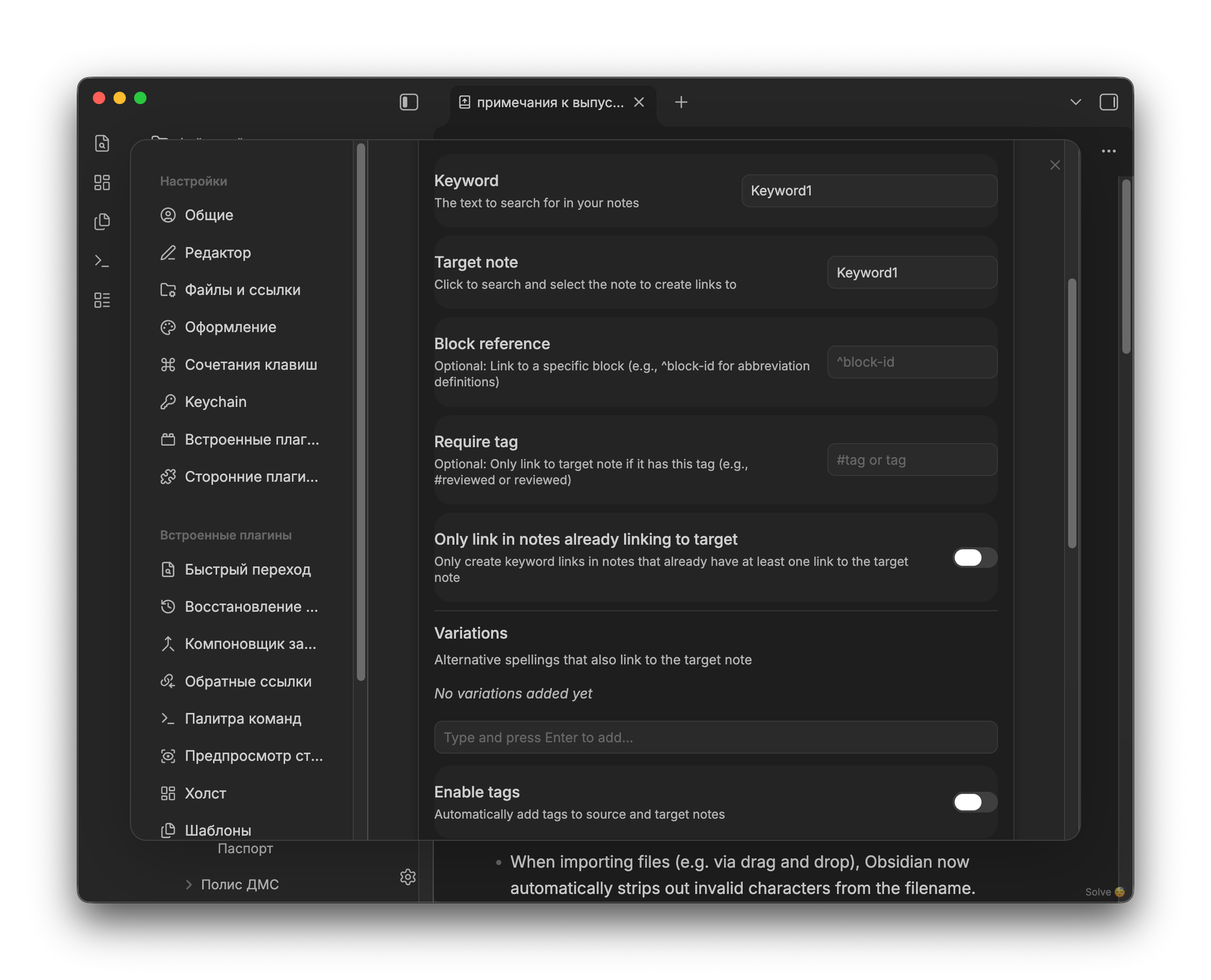
You can automatically add tags to processed notes or assign them to specific groups. These groups are also configured within the plugin and allow you to apply common rules to notes inside them.
This approach removes the need to manually specify additional data for each note — everything is handled automatically based on predefined rules.
Disable Tabs
A very simple plugin that prevents you from opening more than one tab in Obsidian. When you try to open a new tab, the previous one is automatically closed.
Remember Scroll Position
Another simple plugin that remembers the last scroll position of a note and automatically returns you to it when you reopen the note.
In the settings, you can specify after how many days the scroll position should be forgotten if it hasn’t changed.