
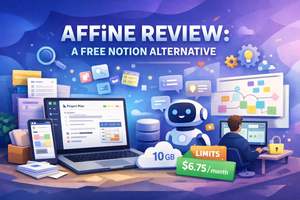
AFFiNE is a free Notion-style knowledge-base app with AI support, offline startup without registration, a powerful editor, templates, collaboration features, and reasonable usage limits.
Choosing a convenient knowledge base tool is not an easy task. Some services lack essential features, others are too expensive, and many simply don’t fit specific workflows. That’s why I continue exploring new applications in this space.
What This Review Covers
This time, I took a closer look at AFFiNE — an app available on all major operating systems as well as on the web.
In many ways, it’s a near-complete Notion alternative, but with built-in AI support for working with your data. Let’s take a closer look at what AFFiNE offers.
First Launch and Interface
This part pleasantly surprised me. Many services force you to sign up immediately and push you toward the web version, while the desktop app is hidden somewhere on the site.
Here, I was able to download the installer for my OS and start using the app right away — no registration required. Of course, you begin with a demo workspace. For more serious use, creating an account is still necessary.
The interface is familiar and intuitive: the navigation panel with notes is on the left, and the selected note is displayed on the right.
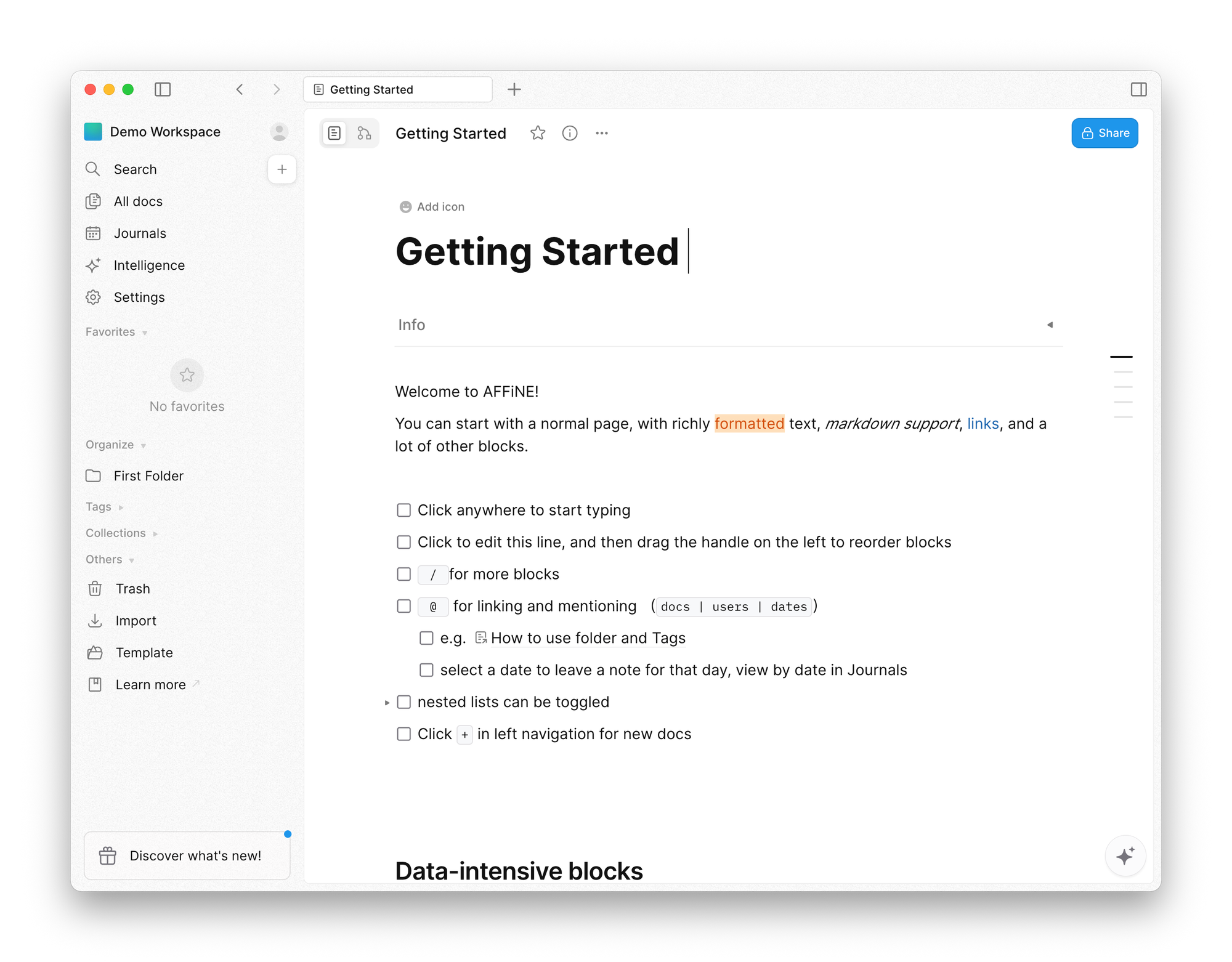
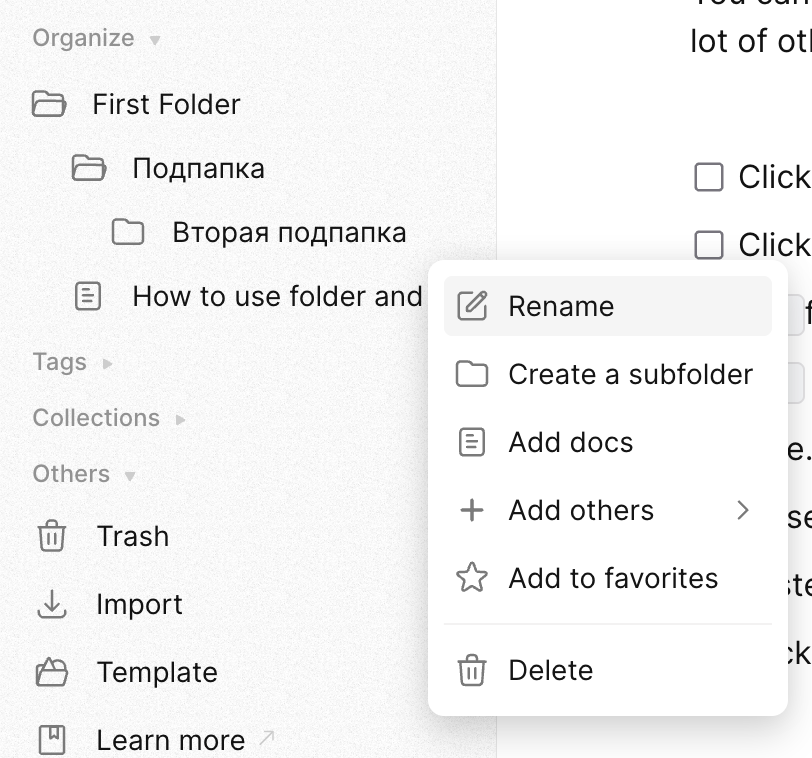
Notes can be organized into folders with unlimited nesting. Tags and collections are also supported.
Editor Features
When creating a new note, you can set an icon, title, workspace details, and tags. And, of course, use the full-featured editor to build your content.

As with other Notion-like tools, typing / opens a quick command menu for formatting text. You’ll find headings, code blocks, quotes, dividers, and everything you’re used to in similar apps.

Notes can also be created from templates, AI prompts, or even as a whiteboard.
Adding attachments to notes worked flawlessly in my experience.
AI Features
As mentioned earlier, AFFiNE includes a built-in AI assistant. Accessing it requires creating an account.
There are several ways to use the AI:
First option: open the command menu inside a note and choose an AI action — for example, start a conversation or summarize the text.
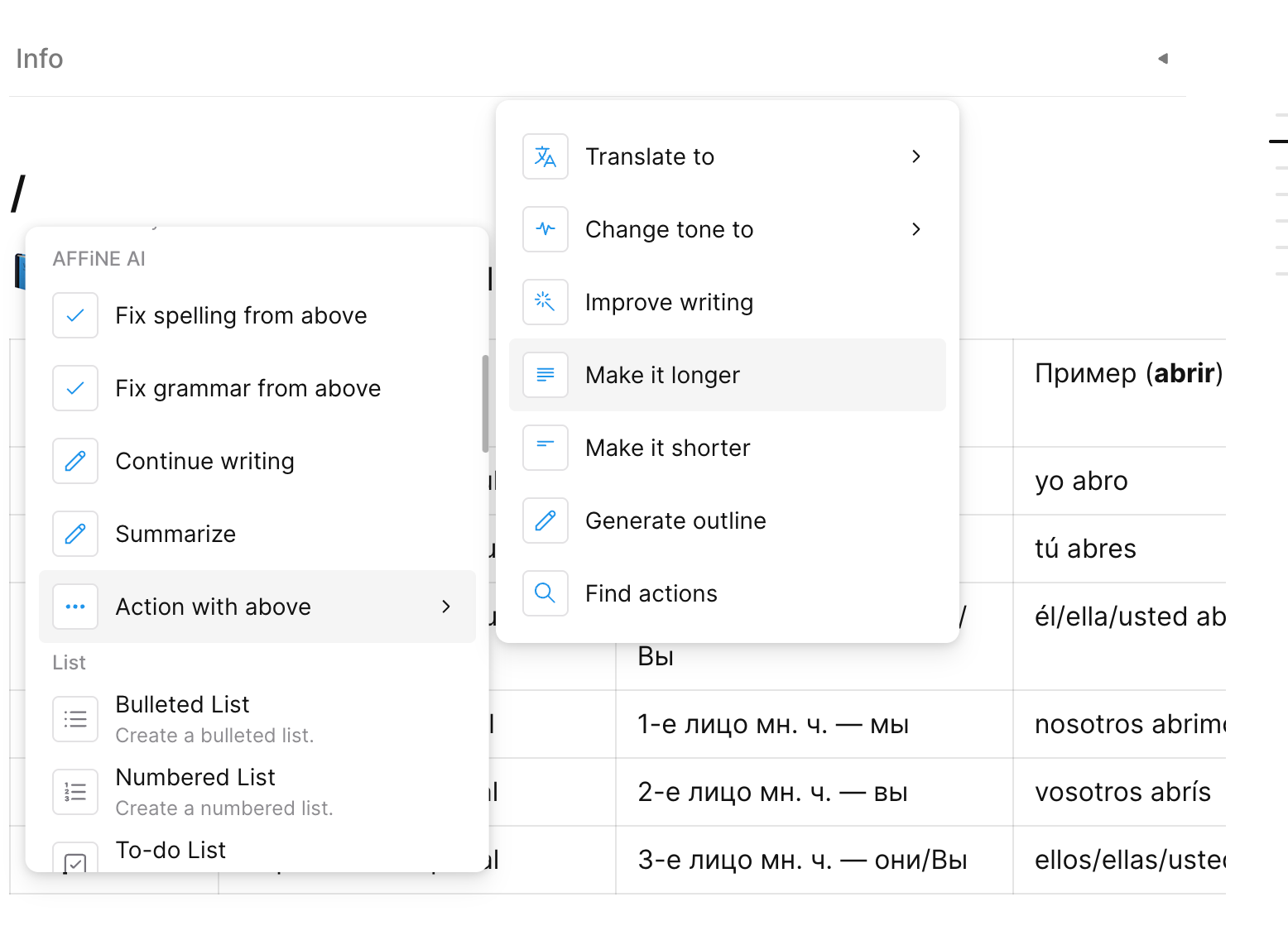
The selected action applies to all content above the cursor.
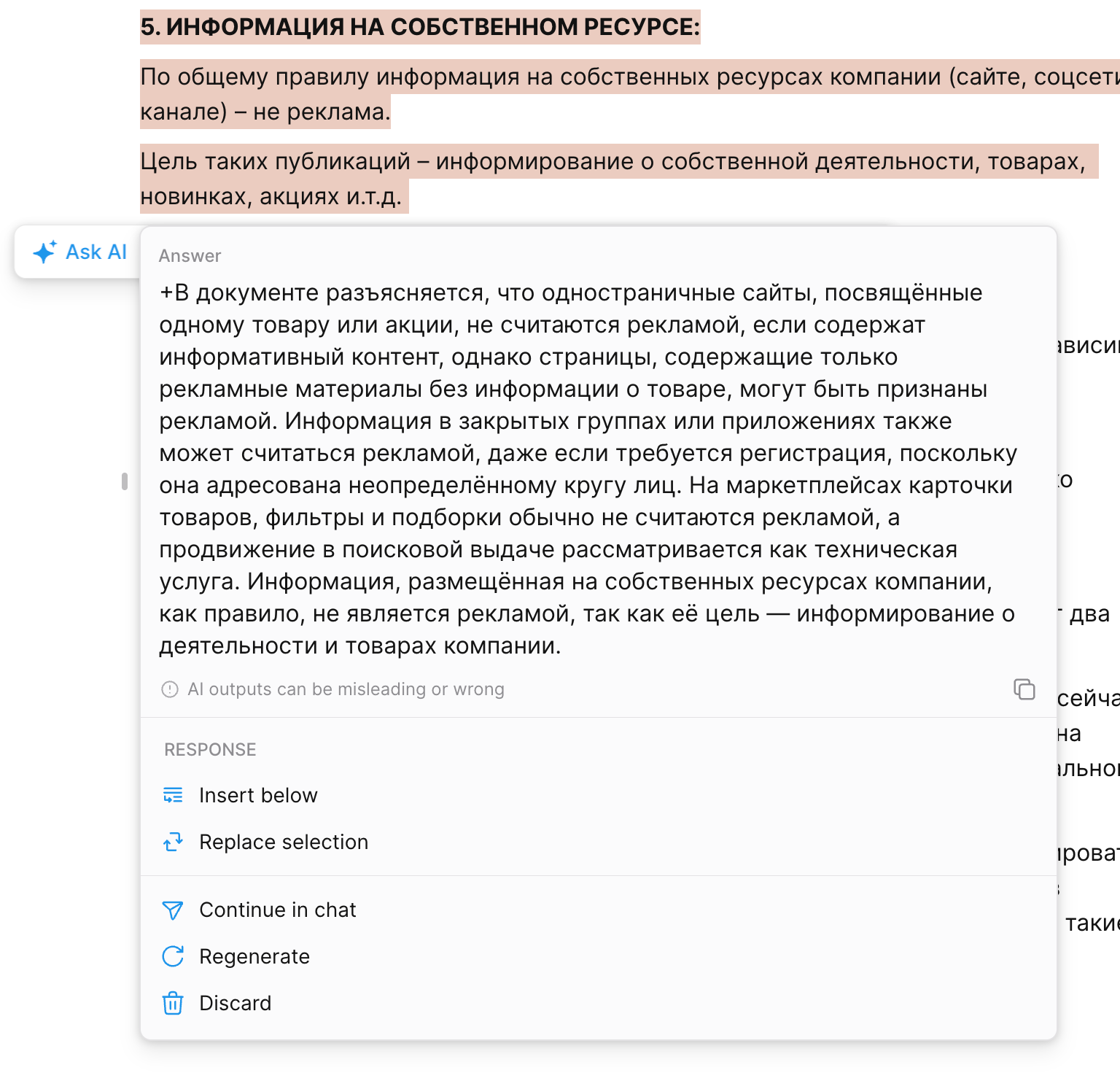
The AI response can be inserted below the text, replace the original content, or be continued in a full chat interface.
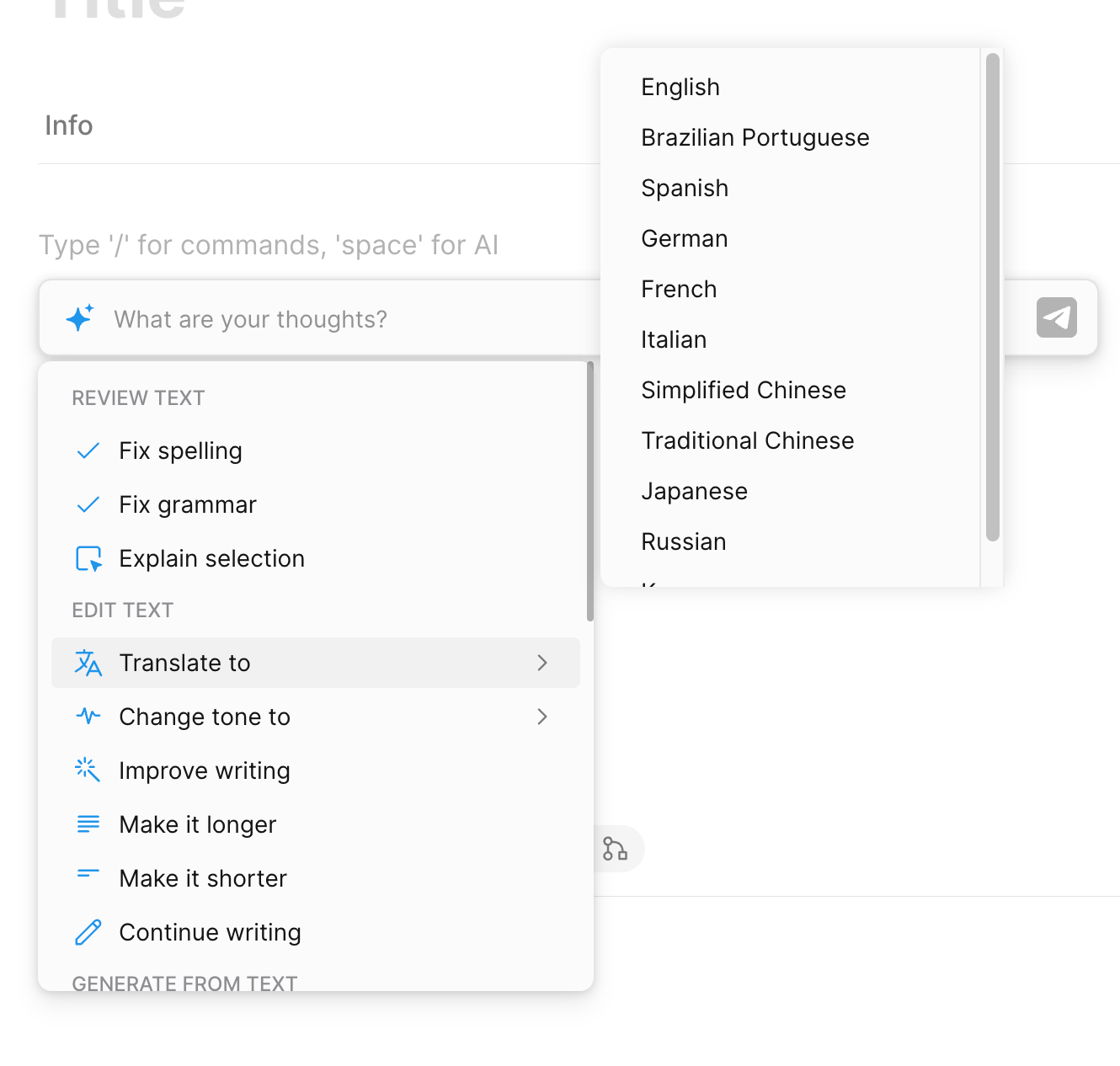
Second option: open the AI dialog in an empty note. The available commands are mostly the same, but the AI chat takes center stage. This mode works well for brainstorming or creating an outline for a future note.
Third option: a full-featured AI chat. If you’ve used ChatGPT before, this will feel very familiar. One standout feature is the ability to add data from your knowledge base to the conversation — including tags and entire collections.
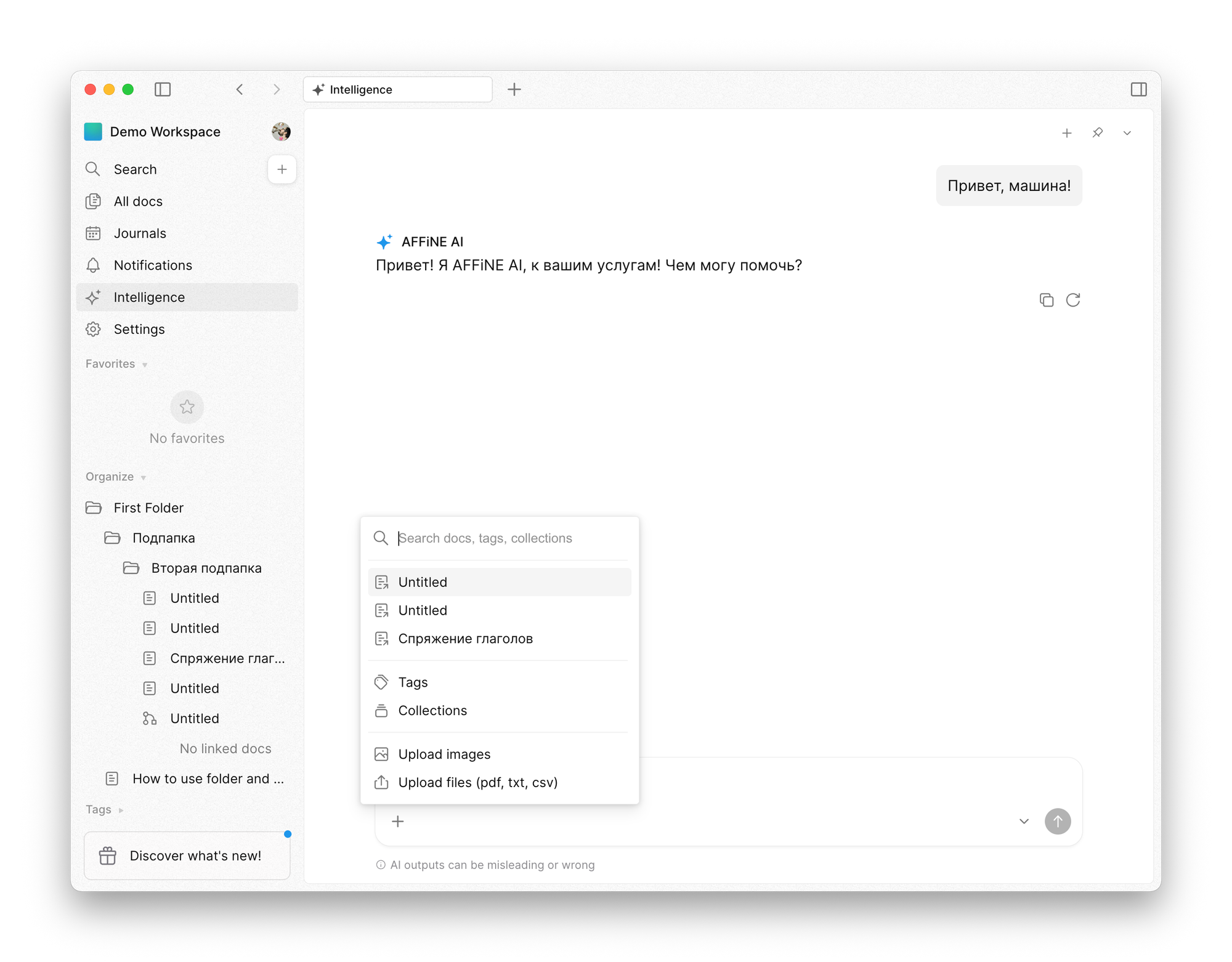
This makes it possible to use AI not just for individual notes, but for analyzing your entire knowledge base.
Additional Features
AFFiNE supports journals and reminders for notes. Workspaces can also be shared, allowing collaboration with colleagues or friends.
Pricing
If you don’t need AI features or data synchronization, AFFiNE can be used completely free. Moreover, the project is open source, so you can deploy it on your own server.
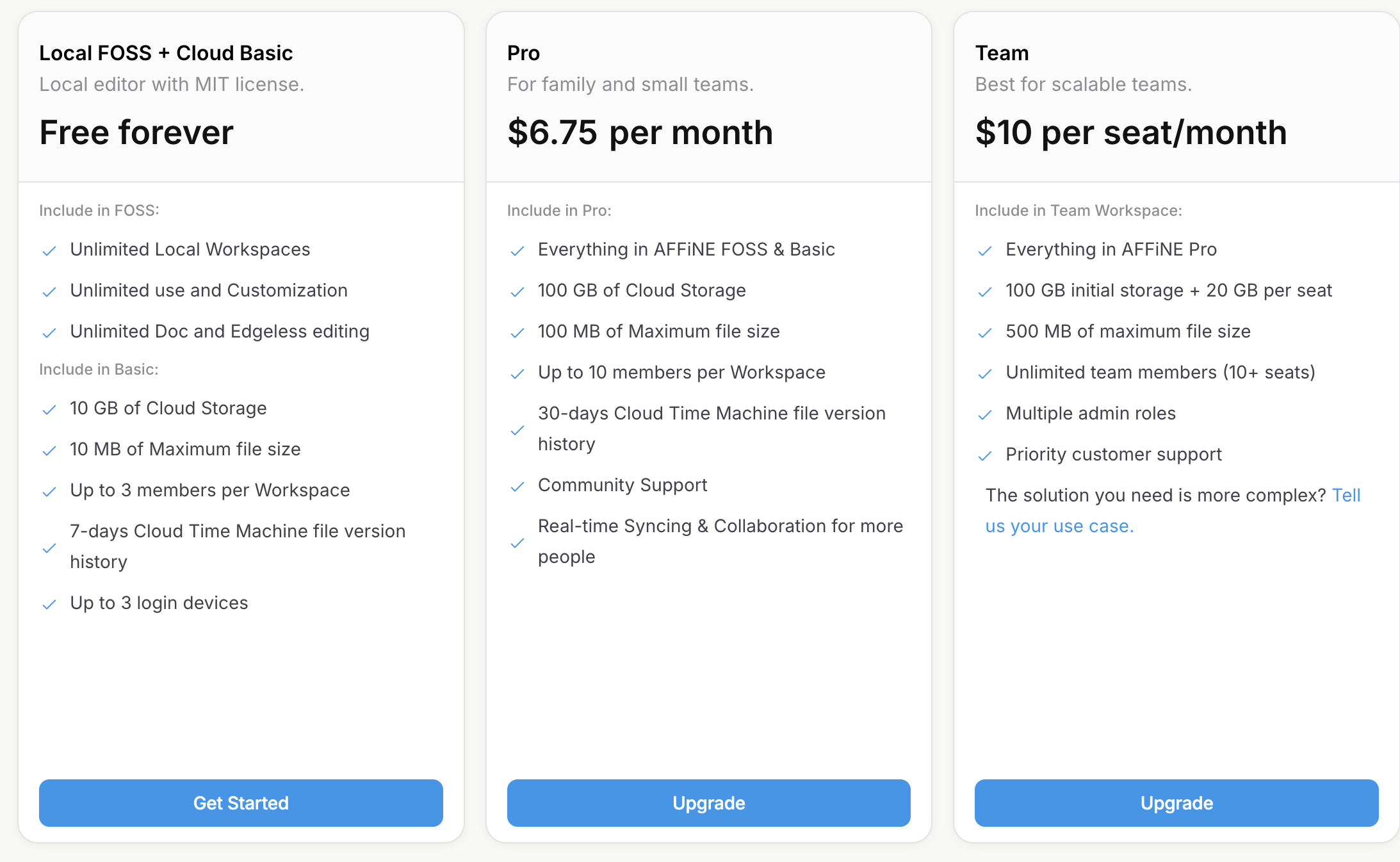
The free plan is quite generous, though it does come with some limitations:
- Up to 10 GB of cloud storage
- Attachments up to 10 MB
- Up to three workspace members
- Version history limited to one week
- Up to three devices
Paid plans start at $6.75 per month for personal use. Subscriptions increase the limits listed above, but even then, 100 GB of cloud storage and a 100 MB attachment limit may still feel restrictive for some users.
Final Thoughts
Honestly, I didn’t expect much from AFFiNE at first. I’ve already tried several free Notion alternatives, and most of them disappointed me — either due to poor usability, bugs, or nearly unusable free-tier limits.
From a technical standpoint, AFFiNE gave me no trouble at all. And the free plan turned out to be genuinely usable.
Of course, power users with large knowledge bases will likely outgrow the free tier and need a paid plan — but as a starting point, AFFiNE is a very solid option.