

Netfluss shows network speed in the macOS menu bar, lets you view interface data, copy IP addresses, and customize how the information is displayed.
If you like keeping track of download and upload speeds, you probably want this information visible in the most noticeable place on your screen.
With the Netfluss app, you can display network speed directly in the menu bar.

When you click it, you’ll see more detailed information about all active network interfaces. In addition to speed, you can also view and copy the IP address of any interface.
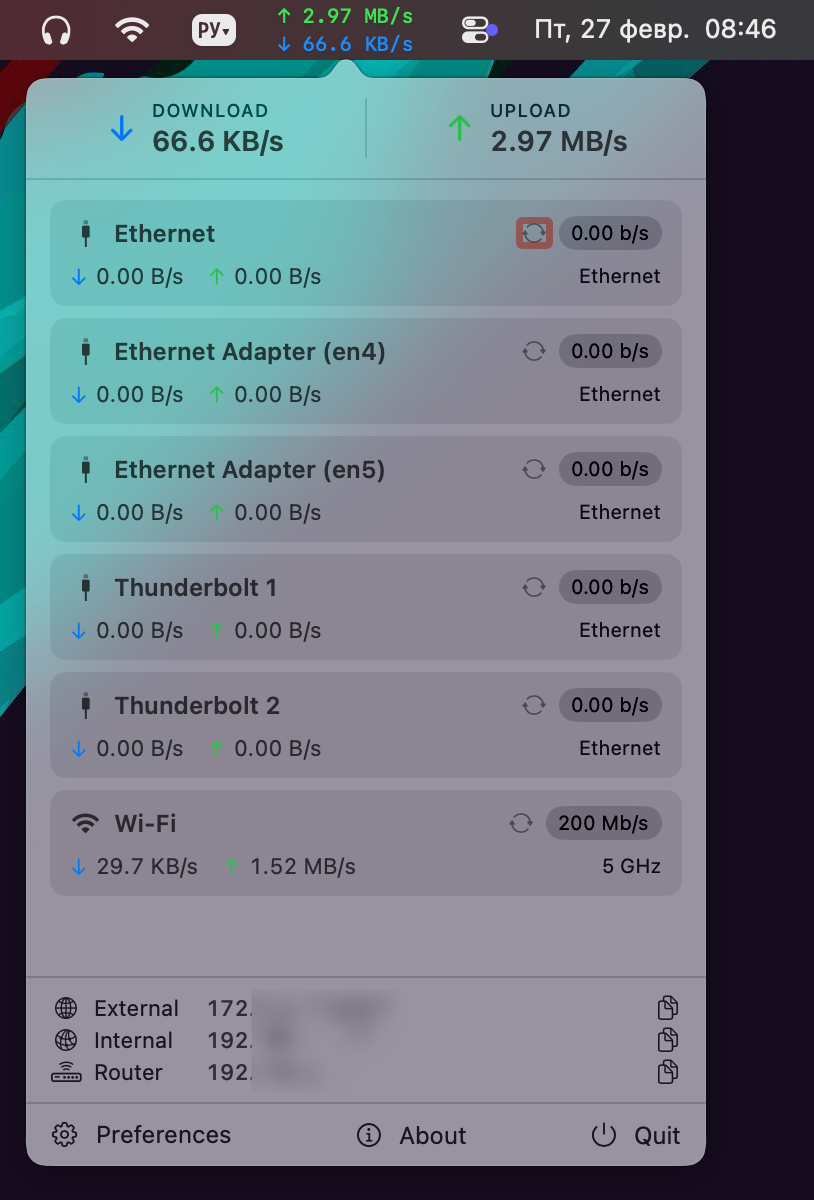
As you may notice, Netfluss displays many connections that you might not need. You can disable them or, наоборот, add new ones (such as VPN or virtual interfaces) in the app’s settings.
You can also configure the data refresh interval and adjust how the information looks in the menu bar.