
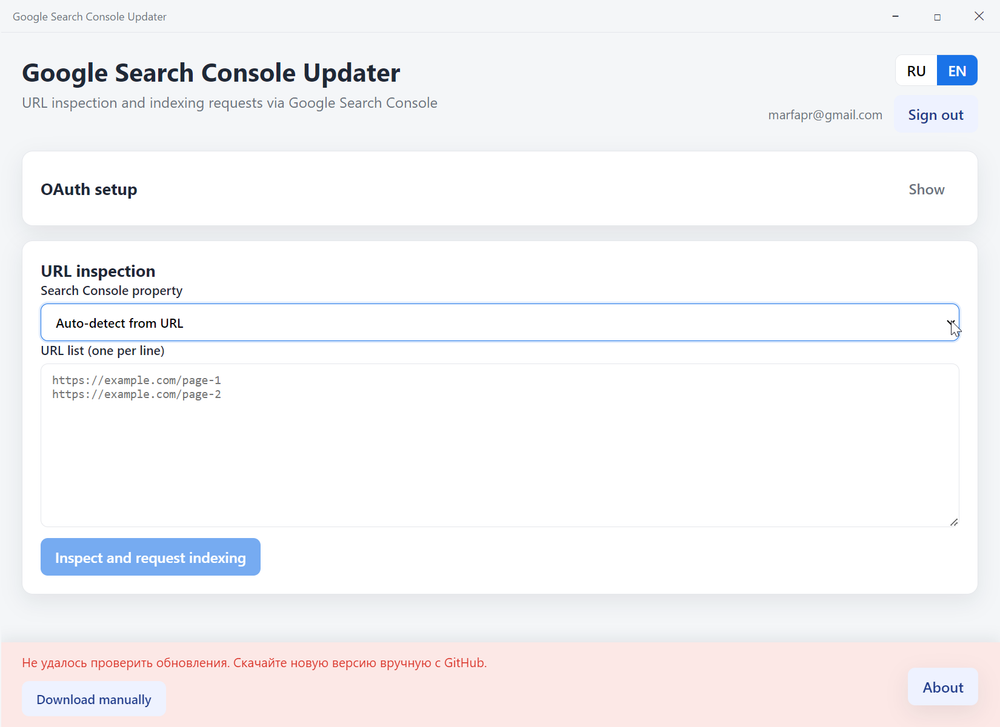
For a long time, I struggled with the need to add multiple URLs to Google Search Console and request indexing for all of them at once. Unfortunately, Google Search Console does not provide this capability out of the box.
To solve this problem, I built Google Search Console Updater, a utility that fully automates the process.
When you launch the application for the first time, you'll need to complete a basic setup to grant access to your Google Search Console account. The app includes instructions and direct links to the required Google settings pages.
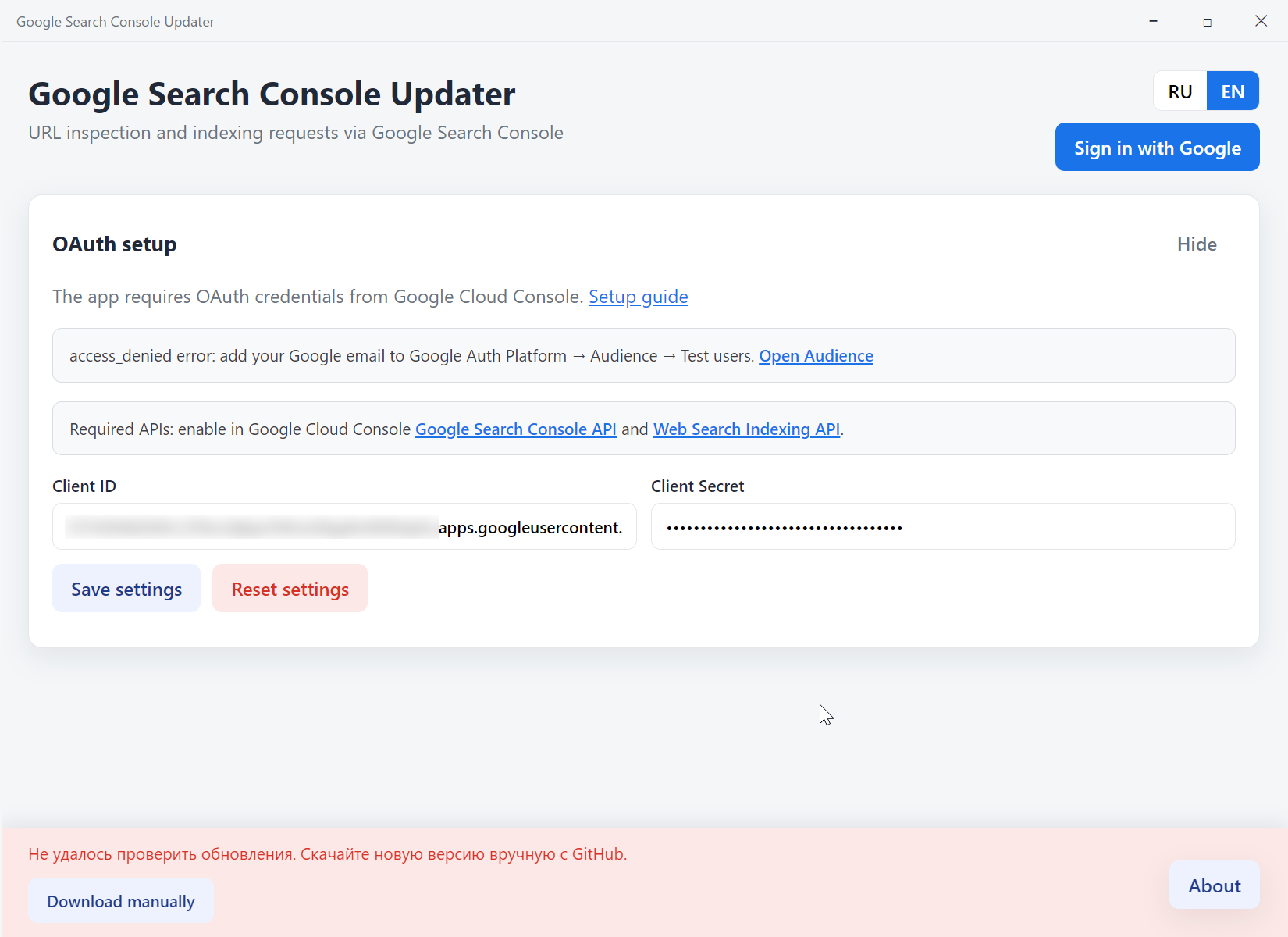
You'll need to create OAuth credentials so you can sign in to the application. Since the app has not yet been officially published, this is currently a mandatory requirement.
If you prefer, you can publish the application yourself and remove this limitation. Instructions for publishing are available in the project's repository.
You'll also need to enable the required Google APIs. This requirement cannot be bypassed, as the application relies on the Google Search Console API. Enter your API credentials in the Client ID and Client Secret fields, then save the settings.
After that, click Sign in with Google to authorize Google Search Console Updater and allow it to work with your Search Console data.
Next, simply provide the list of URLs you want to submit for indexing. You can either let the application detect the domain automatically or specify it manually.
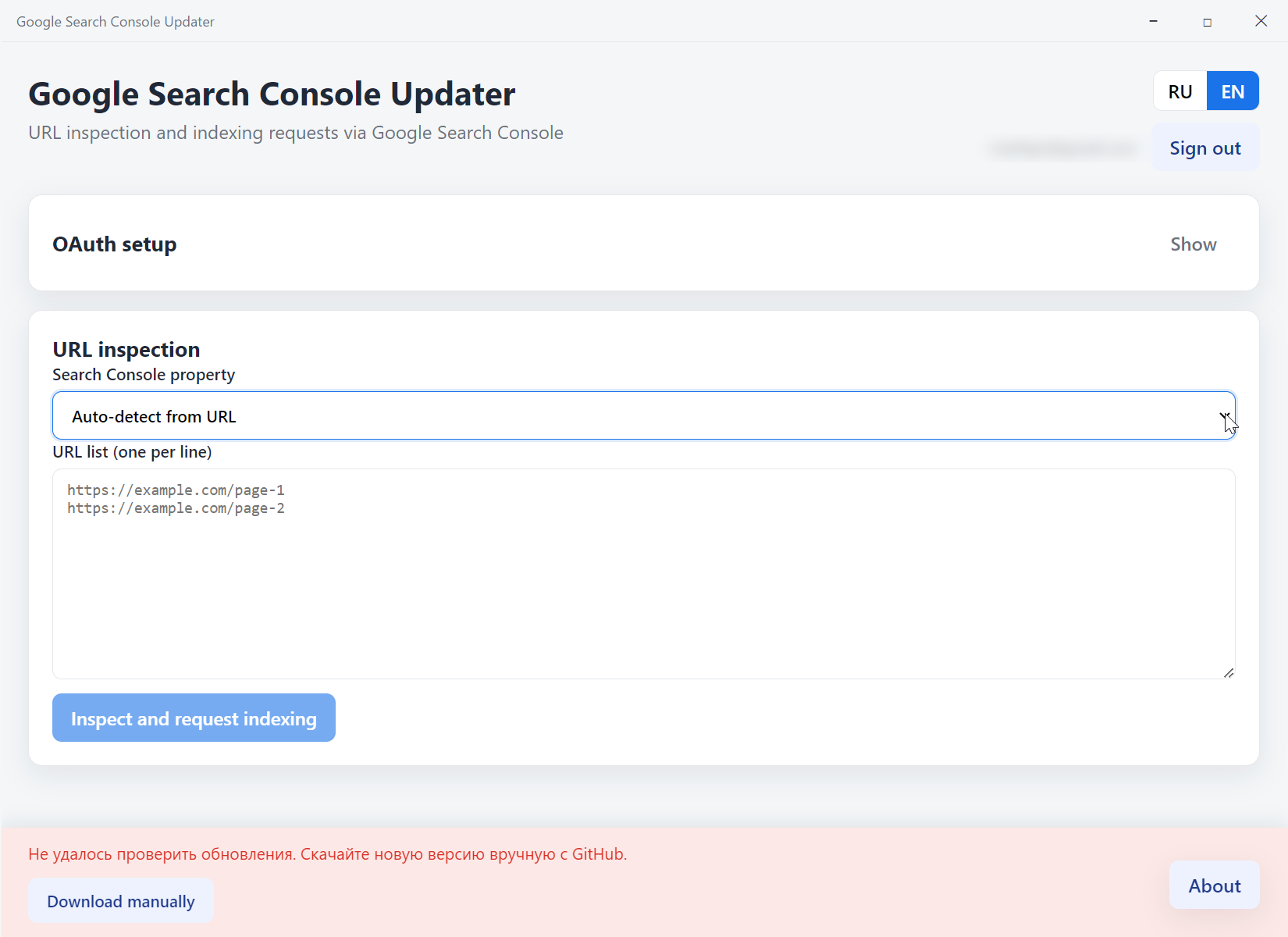
Finally, click Check and Request Indexing. Google Search Console Updater will automatically verify each URL and submit eligible pages for indexing. Once the process is complete, you'll receive a detailed report showing the results for every URL.