
When macOS goes to sleep or restarts, it usually dismounts external volumes and doesn't remount them. This is very inconvenient if you need constant access to such a volume.
The Noject utility solves this problem with literally one click. You just need to install the app and toggle the switch for the drives you don’t want to be disconnected.
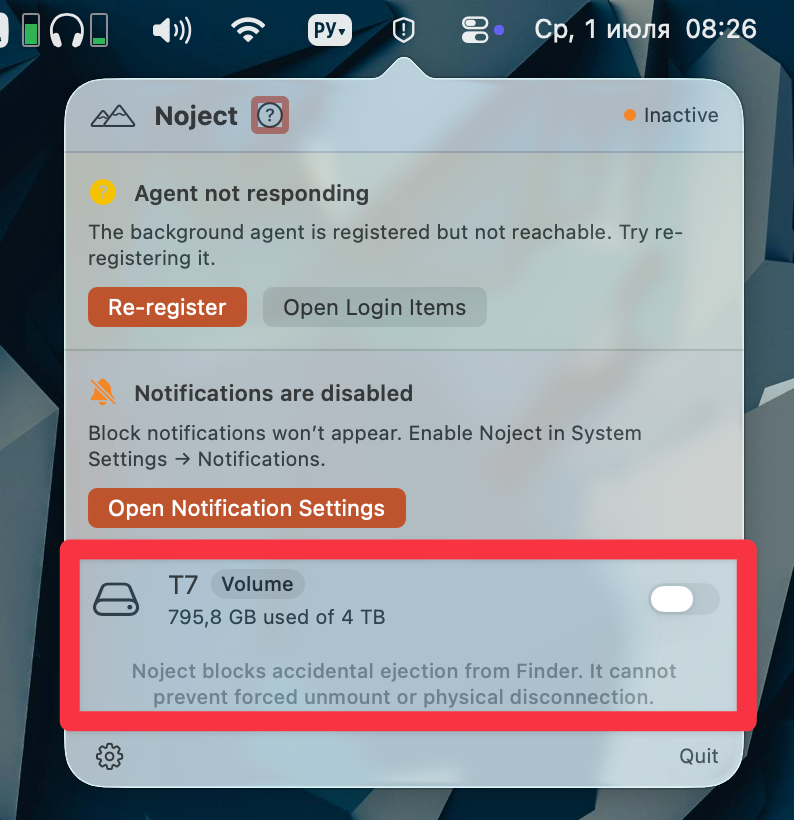
The app will prevent the selected volume from being disconnected and will remount it even after the device restarts. It supports both local drives and network connections (only in the App Store version).
Price
The standard version is available for free, while the App Store version costs $4.99.