

The Readdit Later Chrome extension helps organize saved Reddit posts, search through them, add notes, and export everything to Notion.
If you actively use Reddit’s built-in save feature, you’ve probably wanted a way to organize that pile and actually read all those useful memes someday.
You can do this with the Readdit Later Chrome extension, which simplifies organizing and searching your saved Reddit posts. It also offers quick integration with Notion, letting you transfer them into your knowledge base.
What it does
When you first launch the extension, you’ll need to grant access to Reddit and then wait a bit for all your saved posts to fully sync.
After that, the extension icon itself isn’t very useful. Clicking it only shows basic statistics, a list of recent saves, and Notion export settings.
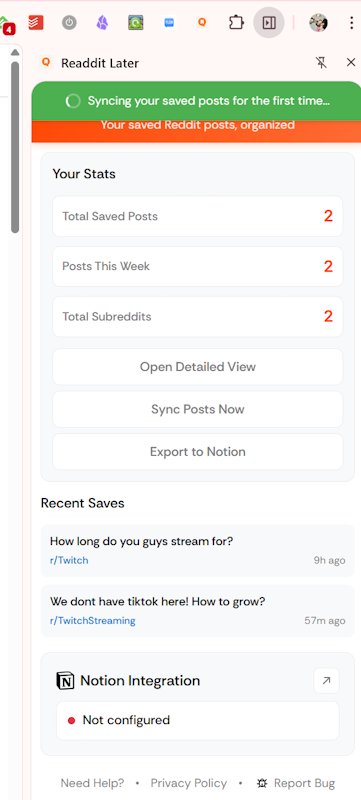
The most interesting part is hidden behind the Open Detailed View button, which opens a full-featured post management interface.
In the All Posts section, you can see all your saved posts and perform full-text searches across them, with AI-powered search available on paid plans.
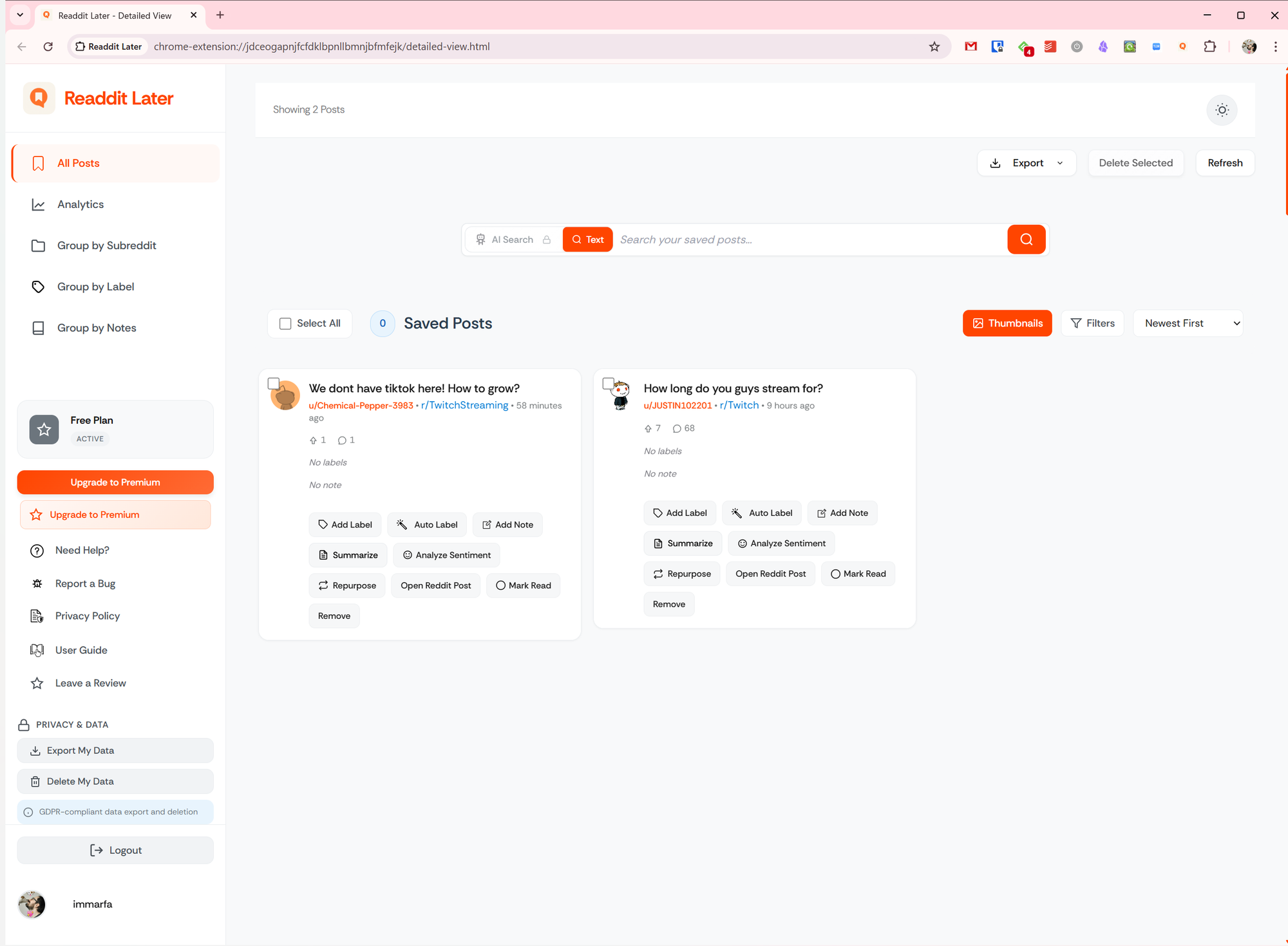
You can add labels to posts (manually or automatically), attach notes, generate summaries and analyses, and reuse content. However, clicking on a card opens the original Reddit post. That means there’s no true offline storage unless you’ve enabled the Notion integration.
For easier navigation, there’s basic filtering by title, score, and date, as well as advanced filtering across all available fields.

Readdit Later also includes a few additional tools, though they aren’t particularly useful:
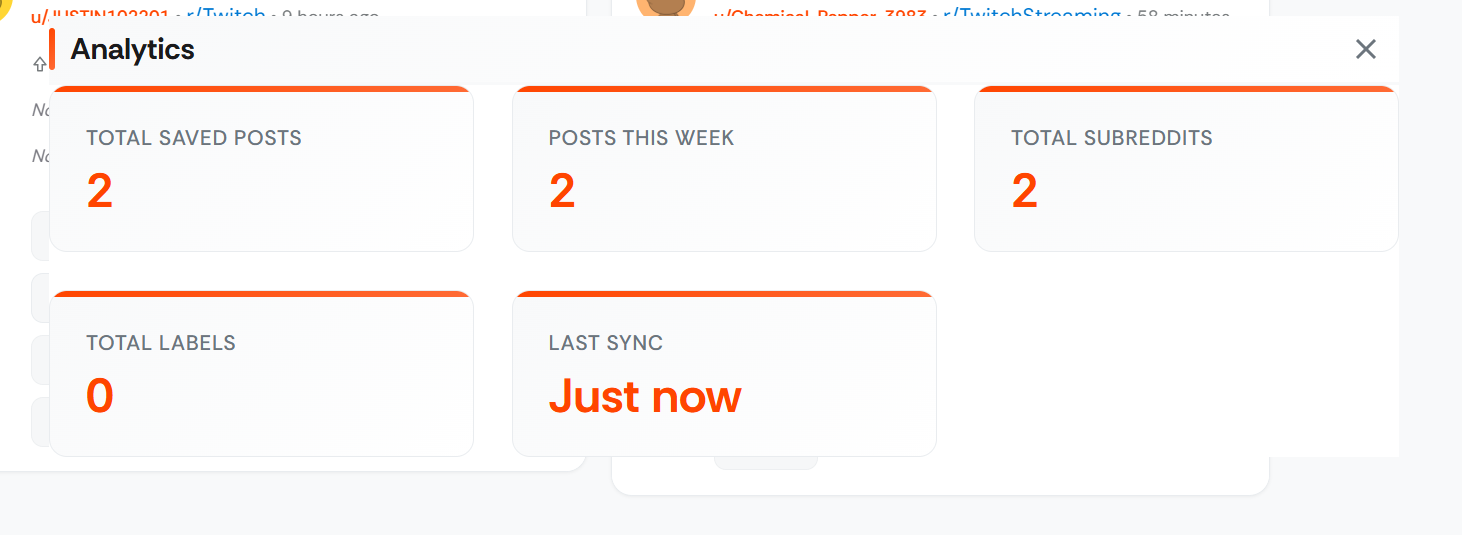
- Analytics simply opens a popup with stats already available elsewhere in the extension;
- Three other sections group posts by subreddit, label, and notes.
Pricing
You can use Readdit Later for free if you store no more than 50 posts. All features are available, but with the same limit.
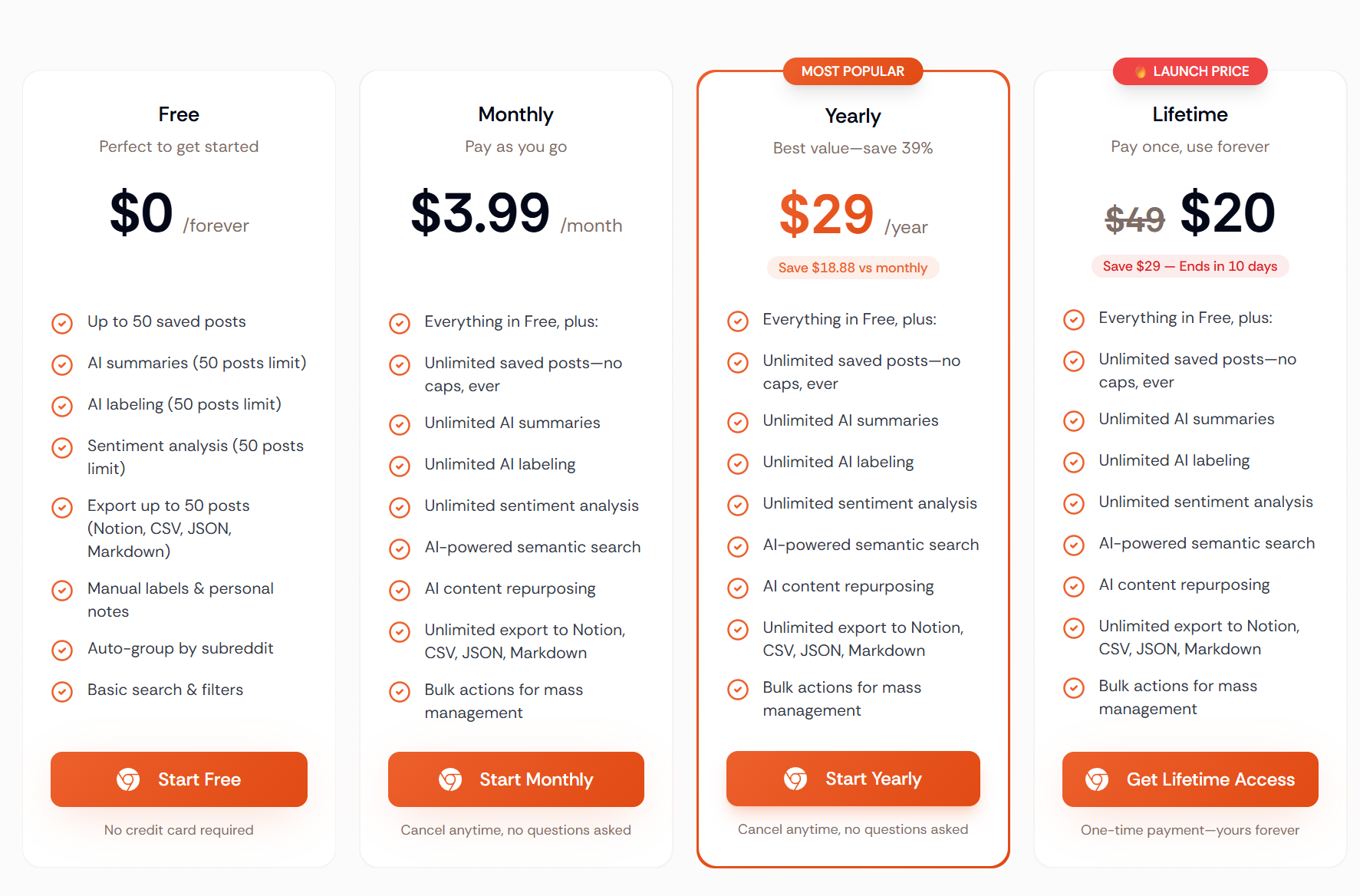
Paid plans remove all restrictions and depend on the billing period. Prices start at $3.99 per month.