

An artist rarely has just one image in front of them. They usually have several photos, a video showing the desired movement, a screenshot of the color palette, and the client’s notes nearby. All of this gets scattered across browser tabs and folders, and you end up having to minimize the work window ten times an hour. Refbox can help solve this problem.
What Is Refbox
Refbox is a desktop application for collecting and viewing references from Studio Bros. It’s organized like a bulletin board: you drag and drop files, and the program automatically arranges them and adjusts the layout to fit the window. The library is stored on your computer and can be accessed without an internet connection.
A business license is available for studios, with per-seat pricing and account management. The personal and corporate versions have the same feature set.
Service Features
References Overlaid on the Work Window
The Refbox window stays on top of other programs, so the frame you need remains visible while you’re drawing in Photoshop, Clip Studio, or Blender. You can customize how it appears: you specify which applications the board should appear over and where it shouldn’t get in the way.
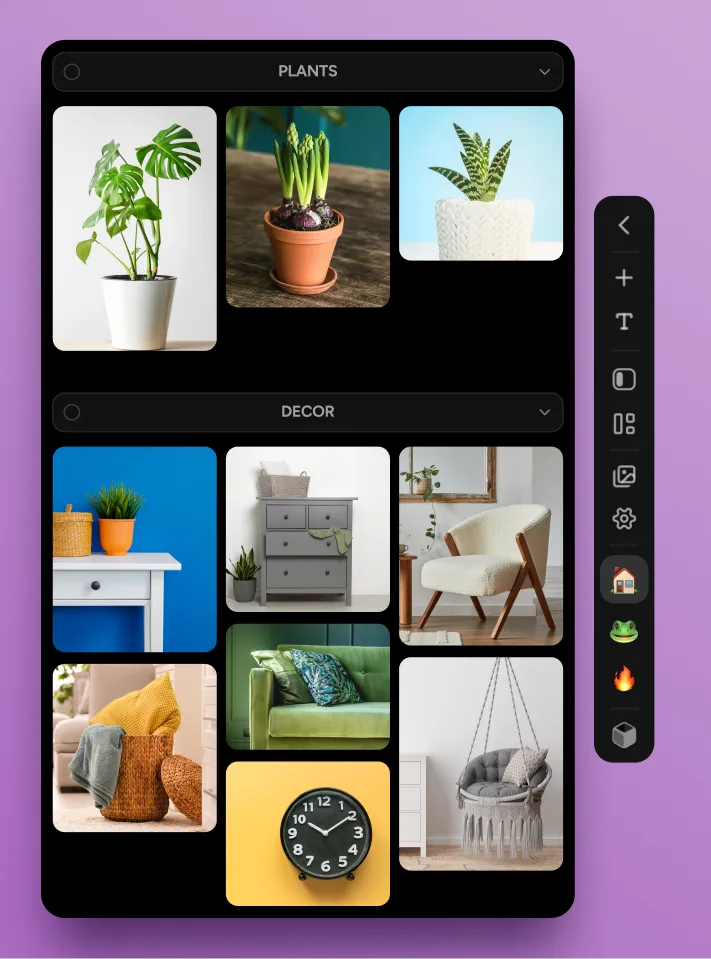
Floating frames are locked in place to prevent them from shifting due to accidental pen movements and can be switched using the arrow keys on the keyboard. Multiple images can be grouped together on a shared canvas over the workspace.
File formats supported by the board
A reference isn’t always an image: an animator needs a video clip, a sculptor needs a model, and an illustrator needs a brief. You can add various file types to the board:
- Images and GIFs—almost any format, frame-by-frame animation preview, and a separate mode for pixel art.
- Video and audio—speed and volume control, sound wave visualization.
- 3D objects—materials, mesh display, and automatic model rotation.
- PDFs, links, and notes—page navigation, search, Markdown formatting, and to-do lists.
Pinterest integration is handled separately: if you drag a thumbnail onto the board, Refbox will save the image in full resolution. The reverse process also works: you can drag a file from the board into a graphics editor.
Organizing the Board and Working with Details
The more material you collect, the more important search speed becomes. Several tools handle this:
- Sections. Media files are grouped by topic, and unnecessary sections can be collapsed with a single click.
- Projects. You can switch between boards on the fly, and favorites are pinned for one-click access.
- Full-screen mode. All references are visible at once, just like in a gallery.
- Annotations and magnifying glass. You can crop an image, add a caption, and zoom in on the desired section.
A finished board is exported to a .rebox file and can be opened on another device with the app installed. This allows you to transfer materials from your work computer to your home computer.
Is it worth switching to Refbox?
Refbox solves a specific problem: keeping references close at hand and avoiding wasted time switching between windows. For those who draw every day, this saves hours. The trial version works for seven days without requiring a credit card; you can download it at ref.box