

Three plugins for Obsidian open links and files in new tabs, avoid duplicates, and provide flexible behavior settings.
In Obsidian, I’m a bit annoyed by how the app handles internal links and notes. Specifically, they open in the current active tab instead of a new one. So today I’ll talk about three plugins that solve this problem.
Obsidian Open In New Tab Plugin
This plugin opens all documents from the File Explorer in a new tab. If the file is already open, it simply switches to the existing tab. There are no settings — it just works.
New Tab +
By default, it opens Markdown files, graphs, canvases, images, audio, video, and PDFs in a new tab. Similarly, if a file is already open, focus switches to the corresponding tab.
The latter option can be disabled in the settings.
Open Tab Settings
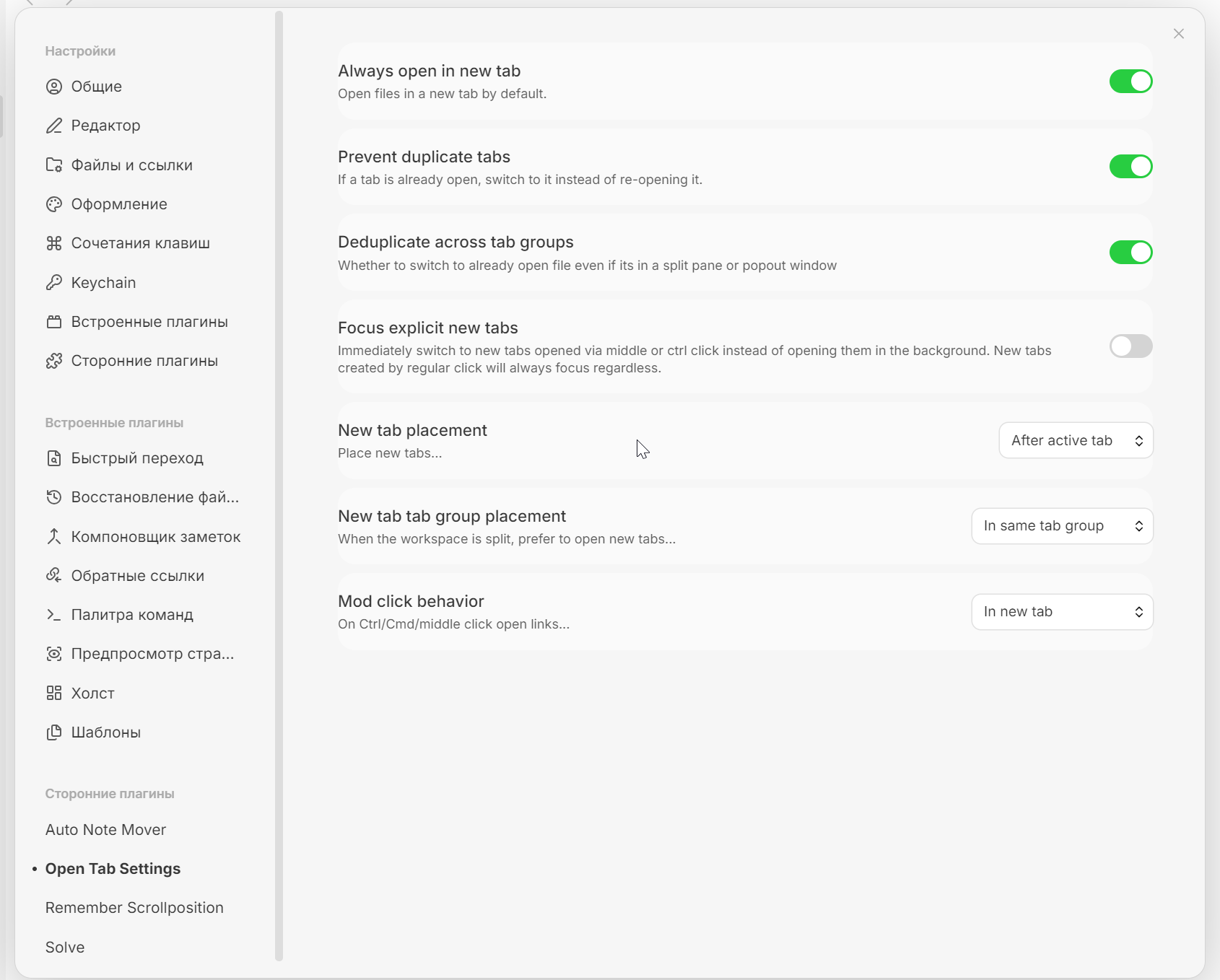
If you want full control over how new tabs are opened, this plugin adds additional settings to Obsidian.
You’ll be able to:
- Enable opening files in a new tab;
- Prevent duplicate tabs;
- Deduplicate tabs within a group;
- Choose whether to switch to the new tab or open it in the background;
- Manage the placement of newly opened tabs and groups;
- Change the link-click behavior logic.