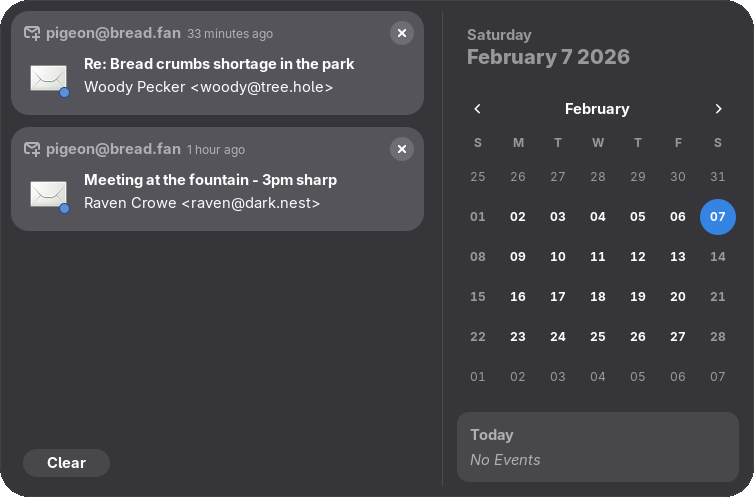
The Pigeon Email Notifier extension for Ubuntu provides notifications for new emails from Gmail, Outlook, and IMAP with simple settings and filters.
I don’t use a desktop email client, and I don’t want to check my inbox manually either. So I started looking for a way to receive notifications about new emails without complicated setup.
You can do this in Ubuntu using a GNOME extension called Pigeon Email Notifier.
After installing it, you can open its settings, which are quite minimal.
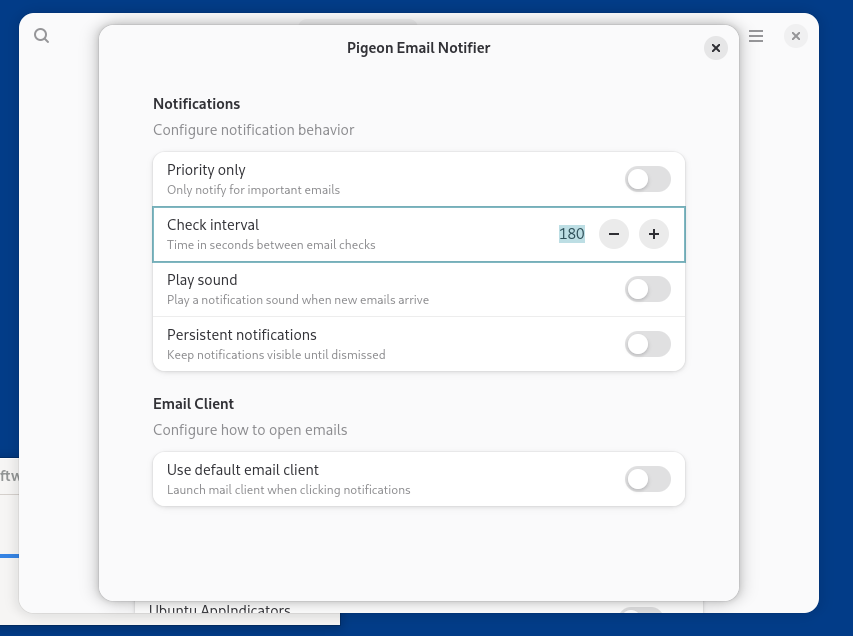
You can enable notifications only for priority emails, set the check interval, and choose which email client to use for opening messages.
To specify which accounts the extension should monitor, go to the system’s Online Accounts section. Pigeon Email Notifier supports Gmail, Outlook, and the IMAP protocol.
As a result, for all accounts you add in the system settings, the extension will start showing notifications about new emails.