

Apple Intelligence is Apple's long-awaited Siri update that doesn't work in Russia without crutches. So why keep extra files on your computer when you can spend that space on something more useful?
You can turn off Apple Intelligence and remove all traces of it in macOS using the free RemoveMacAI utility.
When you first launch it, you'll be taken to the Overview section, where you can see how much space Apple's AI model is taking up on your device, how much space you can free up, and recommended settings for quick cleanup.
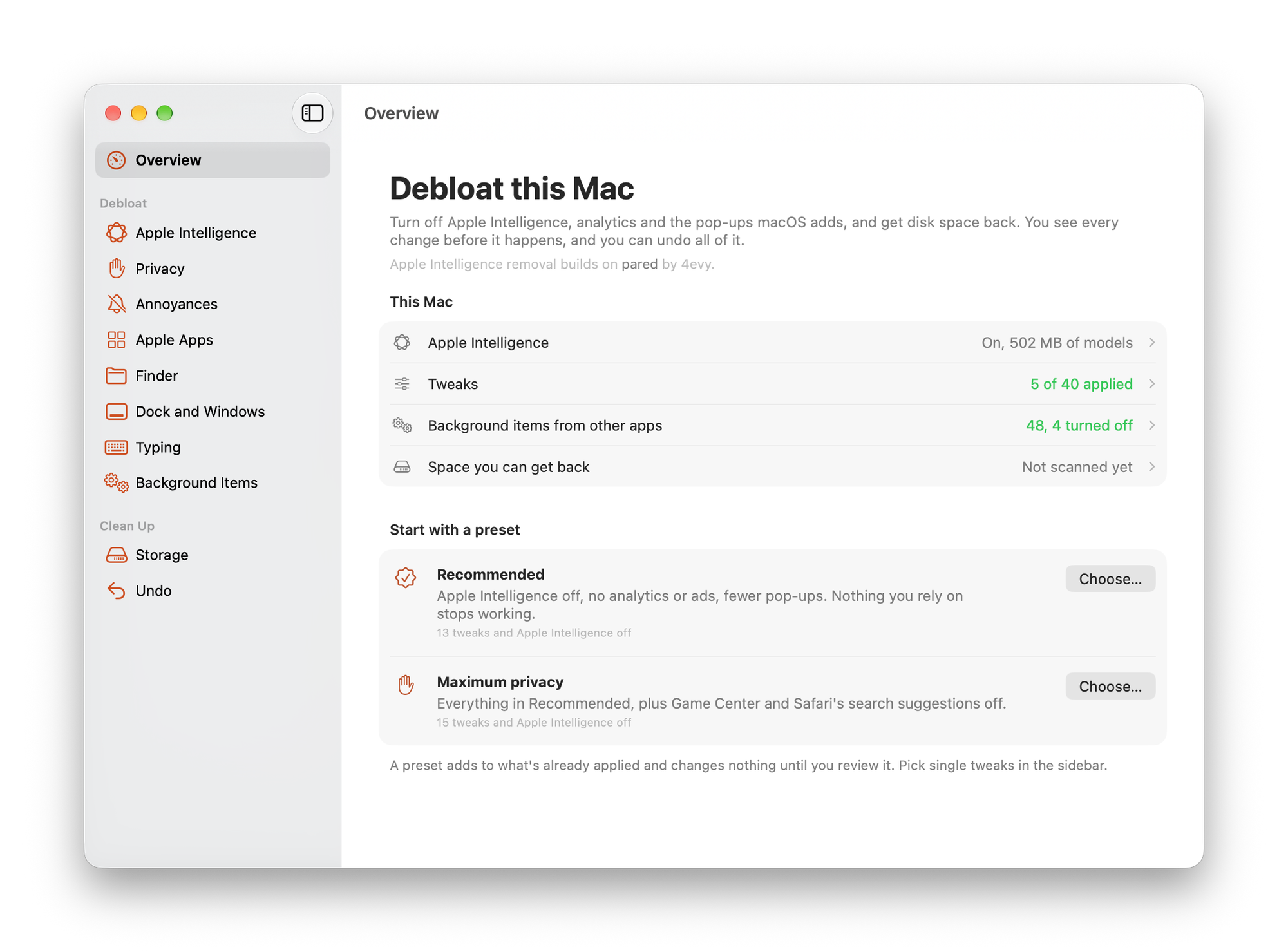
Of course, you can configure it completely manually. To do this, you need to go to the section of interest and choose what exactly needs to be cleaned or turned off.
In the Apple Intelligence section, you can turn off AI entirely, or leave it running, but disable only specific features.
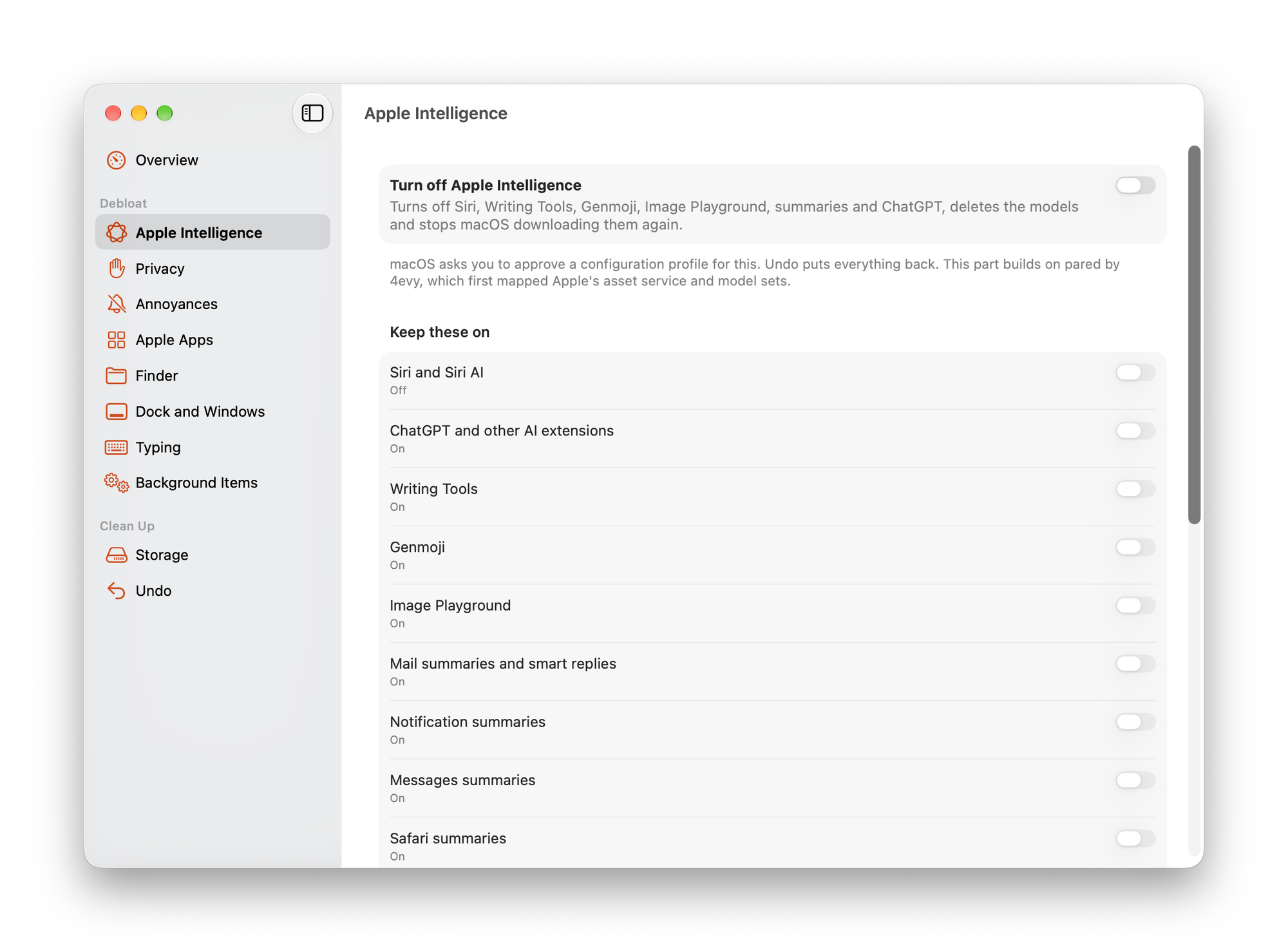
The rest of the sections in the utility are no longer directly related to disabling neural networks, but will help you configure some other parameters:
- Privacy prohibits the sending and collection of various analytical data;
- Annoyances allows you to disable all sorts of annoying little things: clicking on the desktop to hide windows, hide widgets, and more;
- Apple Apps disables Apple Music, Books, and removes unused apps from the dock;
- Finder allows you to enable various options: showing file extensions, showing hidden files, and more;
- Dock and Windows will help you hide recent apps in the Dock, disable auto-hide delay, and the like;
- Typing disables autocorrection, replacement of quotes or spaces with periods;
- Storage cleans the disk of obsolete junk files.