
How to Pin an App on Top of All Windows in macOS

Konstantin Dokuchaev
How to Pin an App on Top of All Windows in macOS

Often, work requires switching between two or three applications. You can reduce the frequent use of Command+Tab simply by keeping one of them always on top of the others.

In macOS, this behavior can be achieved using the free app AlwaysOnTop.
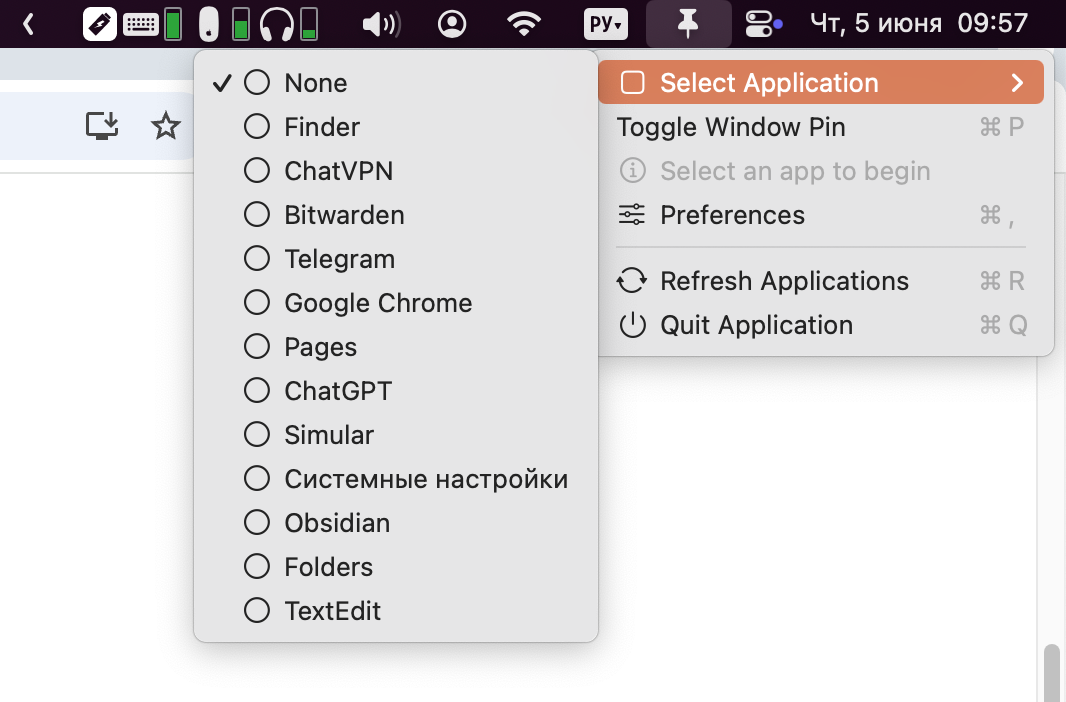
Once launched, you simply select the app you want to keep on top from the dropdown menu β€” and that’s it. If needed, you can switch the pinned app using hotkeys.


Great! Next, complete checkout for full access to All-in-One Person
Welcome back! You've successfully signed in
You've successfully subscribed to All-in-One Person
Success! Your account is fully activated, you now have access to all content
Success! Your billing info has been updated
Your billing was not updated