
Recently, YouTube rolled out a new player design, which once again didn’t please many users. But for me, this update caused an unexpected problem: videos started playing automatically whenever I opened a tab.
Previously, this behavior could be disabled in YouTube’s settings, but now that option is simply gone. I solved this issue using a Google Chrome extension called Disable Autoplay for YouTube.
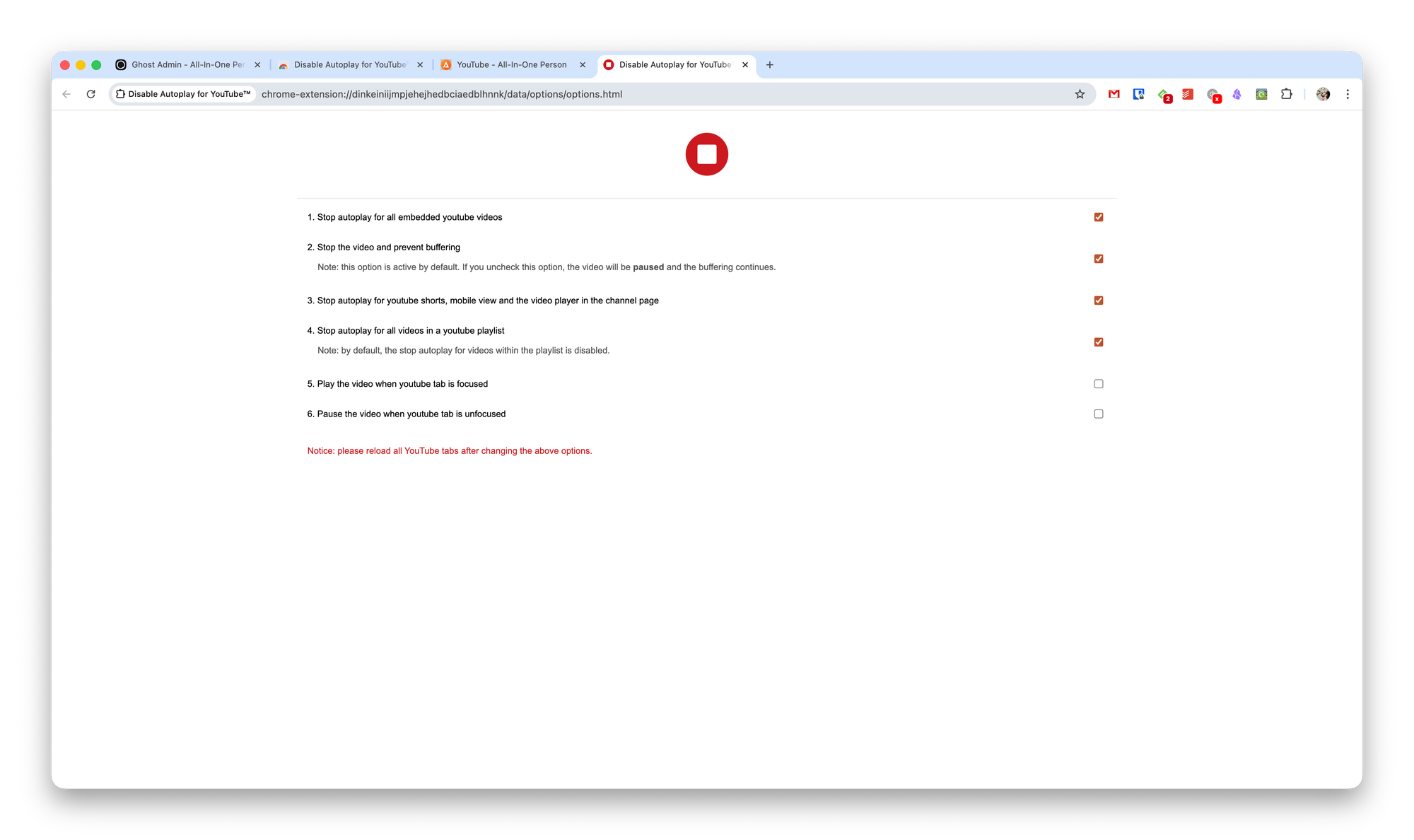
In its settings, you can disable autoplay for:
- Embedded videos
- Shorts, mobile view, and channel pages
- Videos in playlists
In addition, you can stop playback and buffering, start the video only when the tab is in focus, and stop it when it’s out of focus.